
Most AI analytics products start by asking for a copy of your data. That copy then needs a security review, a reconciliation process and a contract clause, and it is out of date by the time the review is finished. Storage 360 starts from the opposite assumption: the operator already has a lakehouse, and the product should run on it.
This post is for CIOs and data leaders. It covers the five design decisions that shape Storage 360, the numbers from the demo build, and what is deliberately not in the current release.
1. The data stays in your workspace
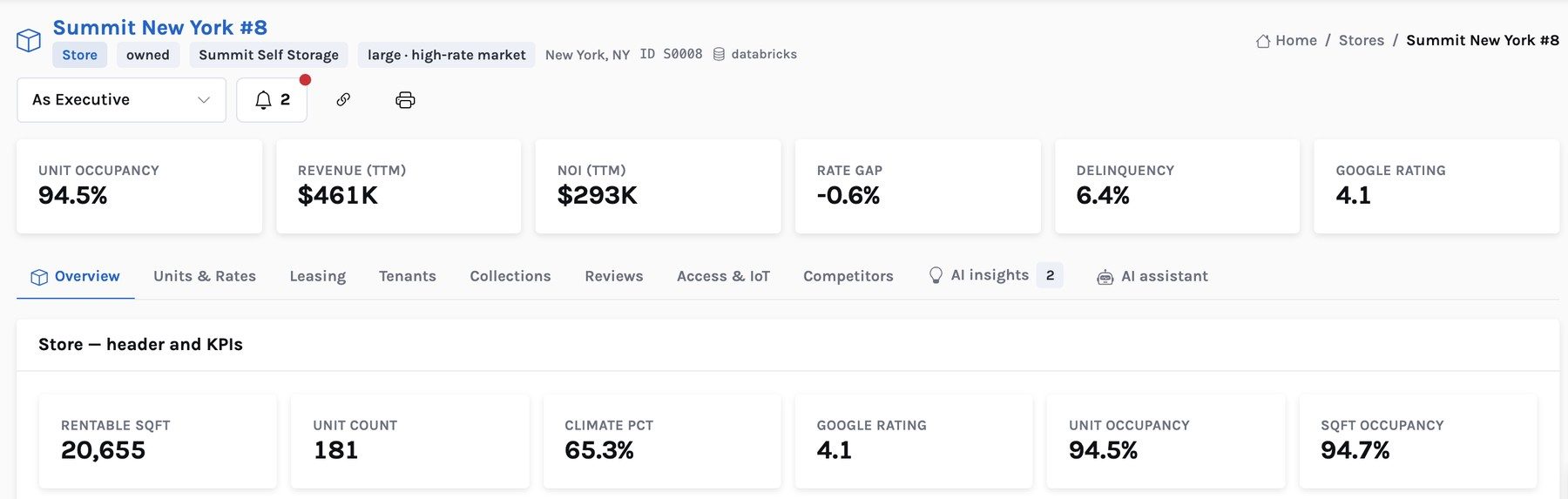
All 360 data, AI outputs, workbench panels and briefs live as tables in a schema in the operator's Databricks workspace. The demo build holds 820 stores (401 own and 419 competitor), 58,616 units, 190,421 tenants and 211,504 leases across 36 months, in the familiar layers: reference and dimension tables, facts, aggregates (the platinum layer that pages read), and AI tables.
Storage 360 reaches that data through a SQL warehouse, under the permissions you grant. There is no extract to a vendor cloud and nothing to reconcile, because there is only one copy. The app's own small database holds users, roles, a glossary and saved scenarios — not tenant or financial data.
2. Every query is a reviewed data contract
The app never composes SQL on the fly. Every panel, list, 360 tab and brief section is backed by a named data contract: a single read-only SQL query with declared parameters and a description. The demo build has 134 of them. They are generated from code, so they live in version control and go through the same review as any other change.
Contracts are also how the product grows. Pages are defined by contract keys, so a new tab or brief section is a new contract, not new application code. For a data team, that means the complete list of what Storage 360 reads is one folder, readable in an afternoon.
3. The AI runs once a night, in your workspace
The AI layer is a batch job. It reads the facts and aggregates, computes predictions — move-out risk, rent-increase recommendations, delinquency risk — and writes insights, recommendations and alerts back to AI tables in the same schema. In the demo it produces 251,241 insights, 12,480 recommendations and 1,283 alerts.
Two properties matter to a CIO. First, insights are computed from the same aggregates the pages display, and an automated validator checks that they agree; it is part of 268 automated data checks covering keys, reconciliations and the warehouse against generated totals. Second, every insight stores its evidence — the tables, keys and values it came from — so any claim can be traced to rows.
The AI assistant is the one interactive AI component. It answers questions about a store, tenant or the portfolio, grounded in that entity's contract facts and insights, with a template fallback if the language model is unavailable.
4. Pages read a cache, so cost does not follow log-ins
Every contract result is cached: 15 minutes for 360 pages and lists, one hour for workbenches and briefs. The busiest queries are pre-warmed after the nightly load, and the cache is bumped whenever new data lands. In the demo, pages answer in 0.05 to 3.3 seconds.
The cost consequence is the point. Warehouse compute is driven by the nightly batch and by cache misses, not by how many district managers open the app at 8 a.m. If the warehouse is stopped, the API says so and asks the client to retry while it starts, rather than failing silently.
5. Entity 360s, linked to the public company graph
Storage 360 models the business as entities — store, tenant, unit, market, owner, campaign, operator and district — each with its own 360 page. Competitor operators get one too. Where an operator is a public company, it carries a link to its entry in the InsightPulse public company graph, and the contracts that return operator rows declare a public-company enrichment. The Operator 360 then shows the company profile, insights and events beside that operator's street rates, without a second integration.
Governance, plainly
- Read-only. Storage 360 reads the 360 schema. It does not write to your PMS, revenue engine or source tables. Rate changes and letters stay in your systems, made by your people.
- Least privilege. The app's warehouse connection needs read access to the 360 schema and nothing else.
- Inspectable. Every query the app can run is a reviewed contract in version control.
- Roles. Users, organisations and roles live in the app's identity service; cache refresh and contract reload are admin-only.
- Synthetic data is labelled. In the demo, every store, tenant and owner record carries a synthetic origin flag.
We would rather you hear it here than in a security review. Single sign-on is not yet configured for Storage 360. There is no write-back of rates or letters into a PMS, and AI recommendations are not accepted or overridden inside the app — your team acts in its existing systems. If any of these is a requirement for a pilot, it belongs in the pilot plan.
What a pilot needs from IT
A 90-day pilot needs a SQL warehouse, a schema, read access to the PMS, rate-shop and GL tables you already land, and a data engineer for the first month to map them into the contracts' shape and run the data checks. The rest is configuration. Because nothing leaves the workspace, the security review is a review of a read-only service, not of a data transfer.
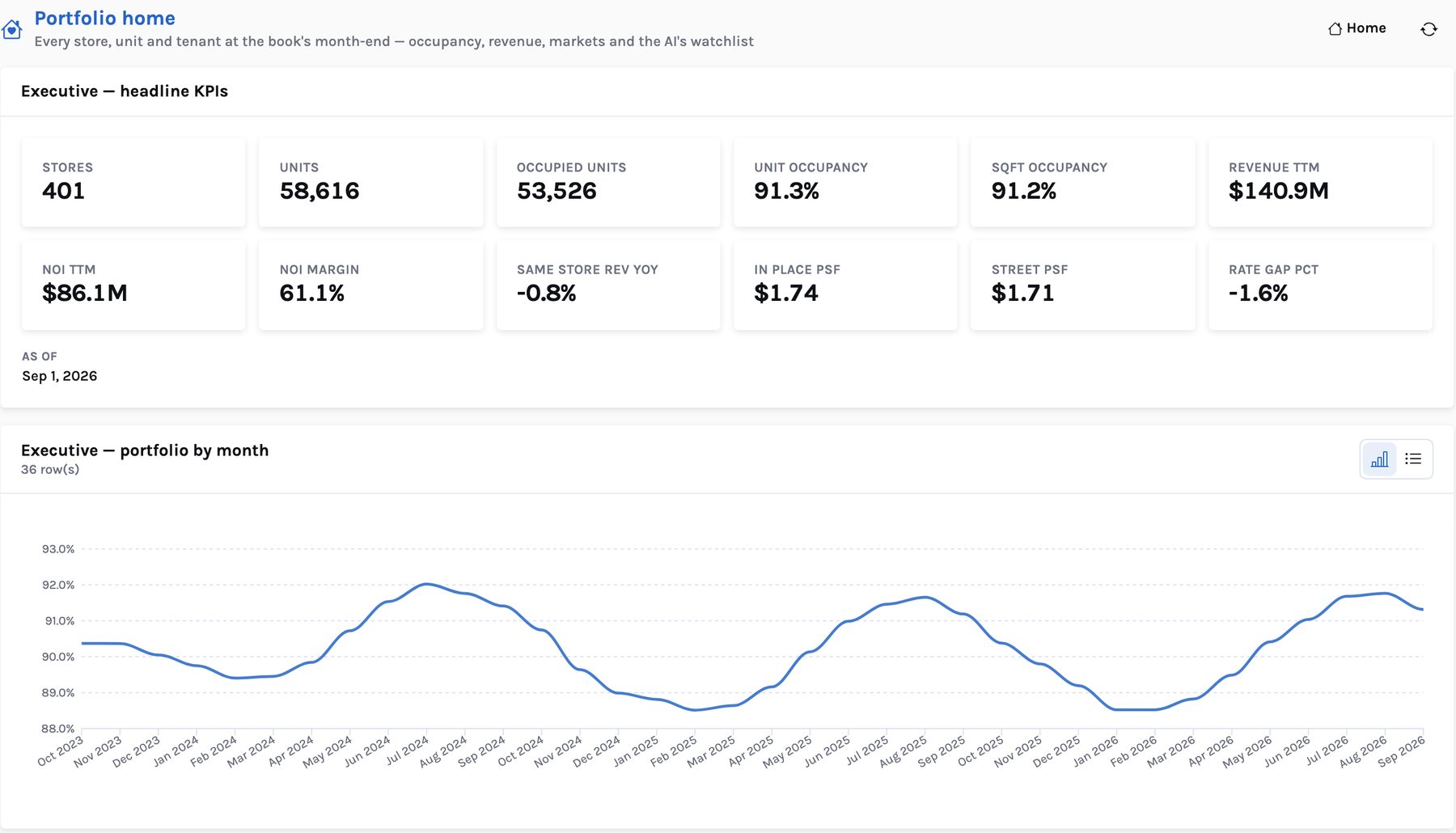
The product view is on the Storage 360 page. For how the nightly AI layer turns these tables into decisions, see AI insights for self-storage.
Storage 360: AI-native revenue and operations intelligence for self-storage
The AI layer, the pricing and rent-increase logic, the lakehouse architecture and the 90-day pilot, in one PDF.